




Guides: how to get the work done in your own Google account
Short, plain guides for invoices, documents from rows and shared expense books, grouped by product.
DocMaster
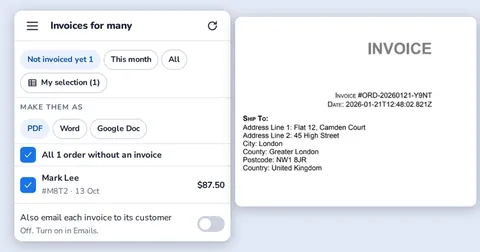
- DocumentationLearn DocMaster step by step: make an order and its invoice, make invoices for many orders, keep stock right, email customers, import your lists and see.
- Invoice and order add-ons for Google Sheets™ comparedCompare DocMaster with other Google Sheets invoice and order add-ons: what each one does, what it costs and which fits a small shop, freelancer or sales team.
- GST and VAT invoice in Google Sheets™Make GST or VAT invoices in Google Sheets: tax worked out on every line, invoice numbers kept in order, PDF saved to your Drive. Step by step with DocMaster.
- How to make an invoice in Google SheetsHow to make an invoice from an order in Google Sheets and save it as a PDF in your Google Drive, step by step.
- You received an invoice made with DocMasterThe invoice you received was made with DocMaster, a free add-on that turns orders in a Google Sheet into PDF invoices. See how to send yours the same way.
- Free GST invoice template for Google Sheets (India)A GST invoice template that sets itself up in your Google Sheet: CGST, SGST and IGST worked out for you, PDF saved to Drive. Free to start.
- Free VAT invoice template for Google Sheets (UK and EU)A VAT invoice template that sets itself up in your Google Sheet: VAT worked out on every line, your VAT number on the invoice, PDF saved to Drive.
- Free invoice template with sales tax for Google Sheets (US)An invoice and order template that sets itself up in your Google Sheet: sales tax worked out per product, PDF saved to Drive, emailed from your Gmail.
- Free invoice template for freelancers in Google SheetsA freelancer invoice template that sets itself up in your Google Sheet: customers, invoice numbers, PDF in your Drive, email from your Gmail. Free to start.
FlowForge
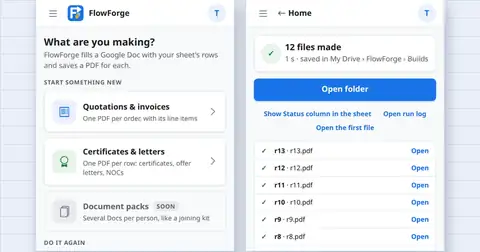
- GuideHow to use FlowForge: create a Google Doc, Slides file or PDF for every row of a Google Sheet, connect several tabs, match template markers, check the rows.
- Free certificate of completion template (make one per student from a Google Sheet)Copy a certificate of completion for Google Docs and make one for every student from your Google Sheet with FlowForge. Free to start.
- Free experience letter template (one letter per employee from a Google Sheet)An experience letter template for Google Docs. Make a letter for each employee from your Google Sheet with FlowForge. Free to start.
- Free job offer letter template (fill it from a Google Sheet)A simple job offer letter template for Google Docs. Fill each offer from a row in your Google Sheet with FlowForge. Free to start.
- Free fee receipt template (one receipt per student from a Google Sheet)A fee receipt template for tutors and schools. Make a receipt for each payment from your Google Sheet with FlowForge. Free to start.
- Free quotation template (one quote per client from a Google Sheet)A quotation template for freelancers and small businesses. Make a quote per client from your Google Sheet with FlowForge. Free to start.
Splendly
- HelpStep-by-step help for Splendly: sign in, make a space, add cash in and out, receipts, members, reports, PDF, offline use and fixes.
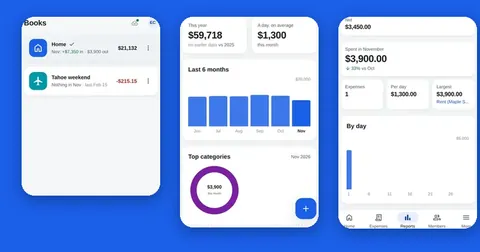
- Cash book appRecord cash in and cash out, see the balance after every entry and keep one book per shop, event or purpose. Your books live in a Google Sheets™ file you own.
- Expense report as a PDFMake an expense report as a PDF with opening balance, cash in, cash out and closing balance. Download it on the web or share it from your Android™ phone.
- Expense tracker alternativesCompare a notebook, a spreadsheet template, bookkeeping software, bank-linked budgeting apps and Splendly. Honest strengths, and what Splendly cannot do.
- Expense tracker in Google Sheets™Track expenses in a Google Sheets™ file you own. Splendly adds forms, books, receipts, reports and PDFs on top and keeps it all in your Google Drive™.
- No bank loginSplendly never asks for a bank login. Your entries live in a Google Sheet™ you own, and Splendly has no server that receives them.
- Template or appA spreadsheet template is quick to start and fine for one person. An app helps when many people add entries.
- Expense tracker with receiptsAttach a photo or a PDF to any expense. The file is saved in a folder in your own Google Drive™ and linked from the entry, so other members can open it.
- Track expenses in Google SheetsBuild a simple expense tracker in Google Sheets™ in six steps: columns, a running balance, totals by category and by month, and sharing. Copy the formulas.
- Shared expense trackerLet family, flatmates or a small team add to the same expense books. Editor and viewer roles, who paid, and reports by member, in your Google Drive™.
- Trip expense trackerKeep a group trip's money in one book: cash in, cash out, who paid and what is left. Entries wait offline, and a PDF statement closes the trip.