




What a cash book records
Cash in and cash out
Every entry is money coming in or money going out. You switch between the two at the top of the new entry sheet.
A balance worked out from your rows
The list shows cash in, cash out and balance for the book you are looking at. The balance is worked out from the rows of your sheet.
One book per shop, event or purpose
Keep the shop till, a market stall, a wedding or a club fund apart. One space holds up to 200 active books, and a finished book can be archived and restored.
Payment mode and party
Note how each payment was made (cash, UPI, card, bank or other) and the party: who the money went to or came from.
Partners and accountants can join
The owner adds people by Google email as an editor or a viewer. A viewer can look at the book but cannot change anything. How sharing works.
Entries wait when you are offline
A new entry stays on your device until the connection is back, then goes into the sheet without duplicates.
How to keep a cash book
- 1
Create a space and a book
Sign in with Google. Create a space, which is one Google Sheets™ file in your Google Drive™, then add a book named after the till, the event or the fund.
- 2
Record each payment
Open the new entry sheet, choose cash out or cash in, and type the amount. Pick the date, the book and the category. The entry also has fields for who paid, how it was paid, the party (who it went to or came from) and a note.
- 3
Read the balance
The list gives cash in, cash out and balance. To check one stretch of time, filter by date range, category, member, cash in or out, or how it was paid.
- 4
Close the period with a statement
Make a PDF statement with the opening balance, cash in, cash out and closing balance, and share it with whoever needs to see it.
See it on screen
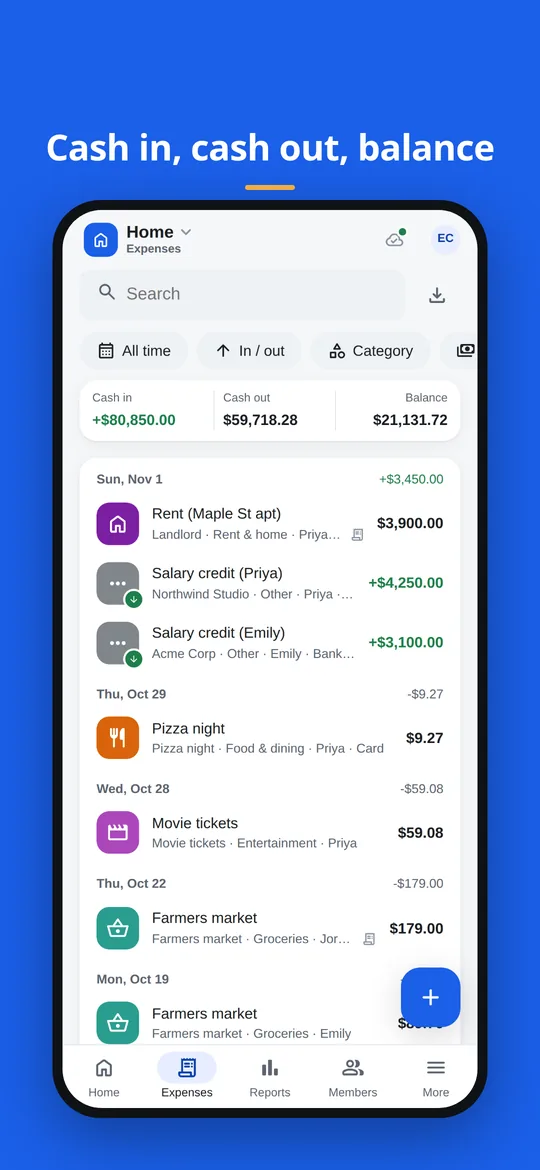
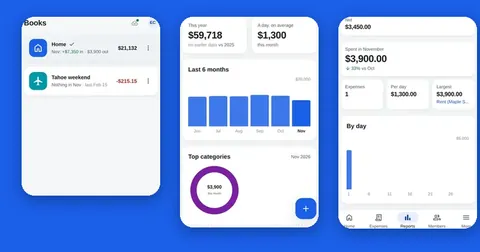
The list of entries grouped by day, with cash in, cash out and balance above it. 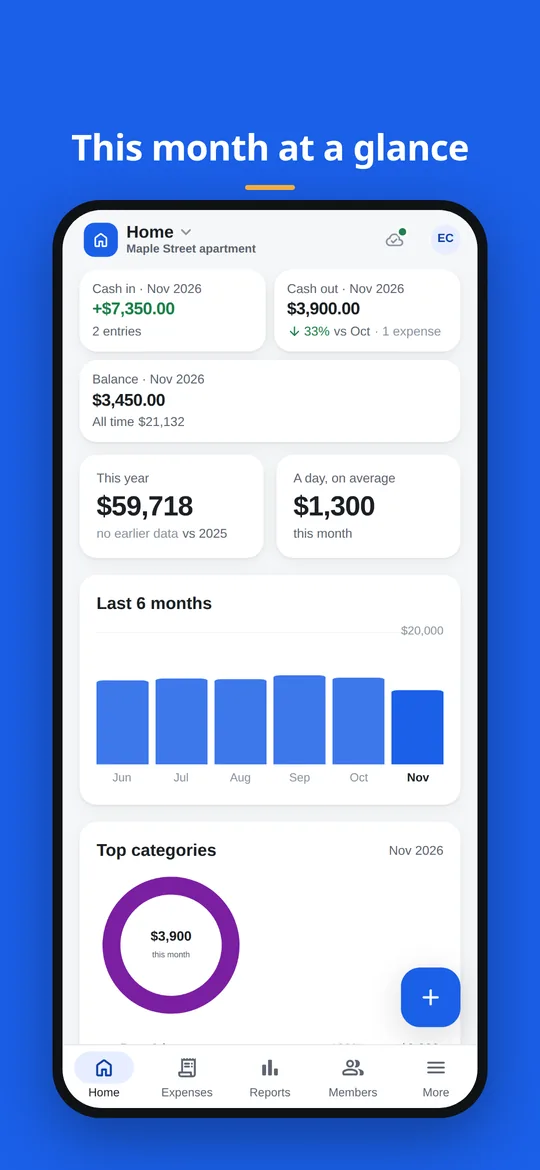
The home screen: this month's cash in, cash out and balance, a six-month chart and the top categories.
From a paper cash book to Splendly
If you have kept a paper cash book, the parts are the same. Only the adding up is done for you.
| In a paper cash book | In Splendly |
|---|---|
| Money received | An entry set to cash in |
| Money paid out | An entry set to cash out |
| Details of the payment | The party (who it went to or came from, up to 80 characters) and a note (up to 500 characters) |
| Cash, cheque or transfer | How it was paid (choose cash, card, bank, UPI or other) |
| A separate ledger for each purpose | A separate book, each one a tab of the sheet |
| Balance carried down | The balance in the list, and the closing balance on the PDF statement |
| Bills pinned to the page | A receipt photo or file linked from the entry |
Splendly records cash in and cash out. It is not a full accounting package. See how it compares with bookkeeping software and other kinds of tracker.
A small example of a shop till book
Three days in a small shop's till book. The last column is the running balance the book shows after each entry.
| Day | Entry | Cash in | Cash out | Balance left |
|---|---|---|---|---|
| Day 1 | Opening float put in the till | 200 | - | 200 |
| Day 1 | Sales for the day | 340 | - | 540 |
| Day 2 | Supplier paid | - | 180 | 360 |
| Day 2 | Sales for the day | 295 | - | 655 |
| Day 3 | Bags and packing | - | 45 | 610 |
Example, not real data.
Good to know
- Splendly records cash in and cash out. It has no sub-accounts, no approval flows, no budgets and no reminders.
- Each space has one currency. Changing it is refused when it would rescale amounts you have already entered.
- Reports and balances are worked out on your device from the sheet.
- Two people editing the same entry within the same few seconds can overwrite each other's change in rare cases. The app asks you to review when it can tell.
- A member sees a shared space only after opening it once with Google's own file picker.
Questions people ask
What is a cash book?
A cash book is a record of money coming in and going out, with the balance after each entry. Splendly keeps one on screen: each entry is cash in or cash out, and the balance is shown for every book.
Can I use it as a petty cash book?
Yes. Make a book for the petty cash box, record each payment out as cash out and each top-up as cash in, and the balance shows what is left in the box.
Can I keep a separate cash book for the shop and one for home?
Yes. One space can hold up to 200 active books, and each book is its own tab in the Google Sheets™ file. You can archive a book when it is finished and restore it later. Archived books do not count toward the 200.
Does it show a running balance?
Yes. The list shows cash in, cash out and balance for the book, and the PDF statement has a running-balance table with the opening and closing balance.
Can I record how each payment was made?
Yes. Choose cash, UPI, card, bank or other, and add the party. You can also filter the list by how it was paid.
Can I add entries without a connection?
Yes. A new entry waits on your device and goes into the sheet when the connection is back. The app retries on its own, and an entry is not added twice.
Can my accountant look at the book?
Yes. The owner adds them by Google email as a viewer to look only, or as an editor to add entries. They open the space once through Google's own file picker, and after that it is in their list.
Can I take my cash book with me if I stop using Splendly?
Yes. The book is a Google Sheets™ file in your Google Drive™. If you stop using Splendly it stays there and keeps working as a normal file.
Google Sheets, Google Drive, Android and Google Play are trademarks of Google LLC. Splendly is not affiliated with or endorsed by Google.