
Google Workspace add-on
One Google Sheet. Hundreds of documents.
Pick your tabs, pick a Google Doc or Slides template, and FlowForge makes one document for every row: quotations, invoices, certificates, letters. As Docs, Slides or PDFs, emailed if you want. No manual work.
See FlowForge in 60 seconds
From one Google Sheet to invoices, certificates and offer letters, checked first and emailed as PDF.
Everything from sheet rows to finished documents
Built for schools, shops, HR teams and anyone who copies a spreadsheet into a document again and again.
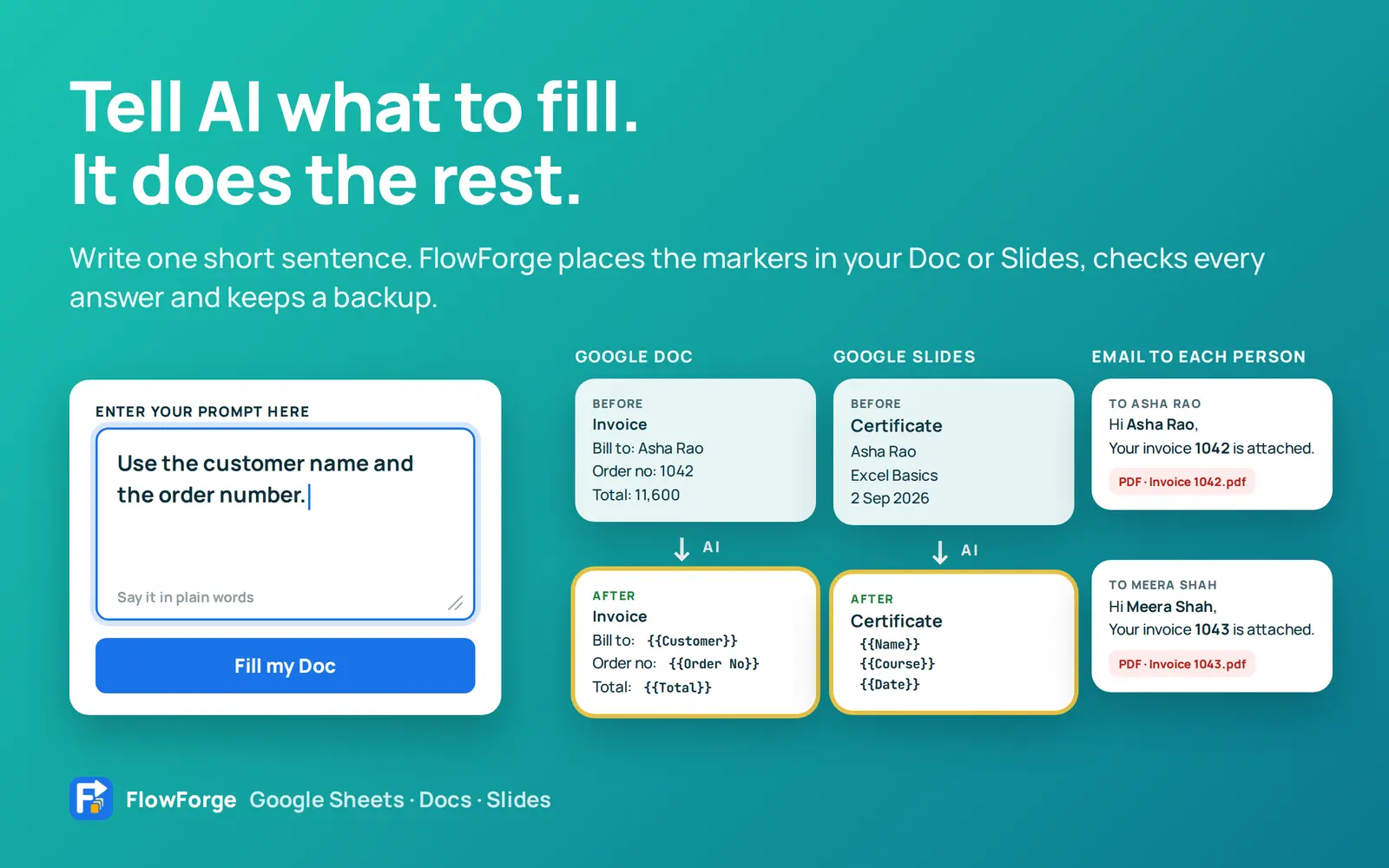
Tell AI what to fill
Write one sentence. FlowForge places the markers.
Open your Doc or Slides file and describe what should be filled. FlowForge places the {{markers}}, checks every answer against your document and your sheet, and keeps a backup so you can undo.
- Works in Google Docs and Google Slides
- Every answer is checked before anything changes
- Prefer to do it yourself? Click a column to place its marker
Many sheets, many tabs
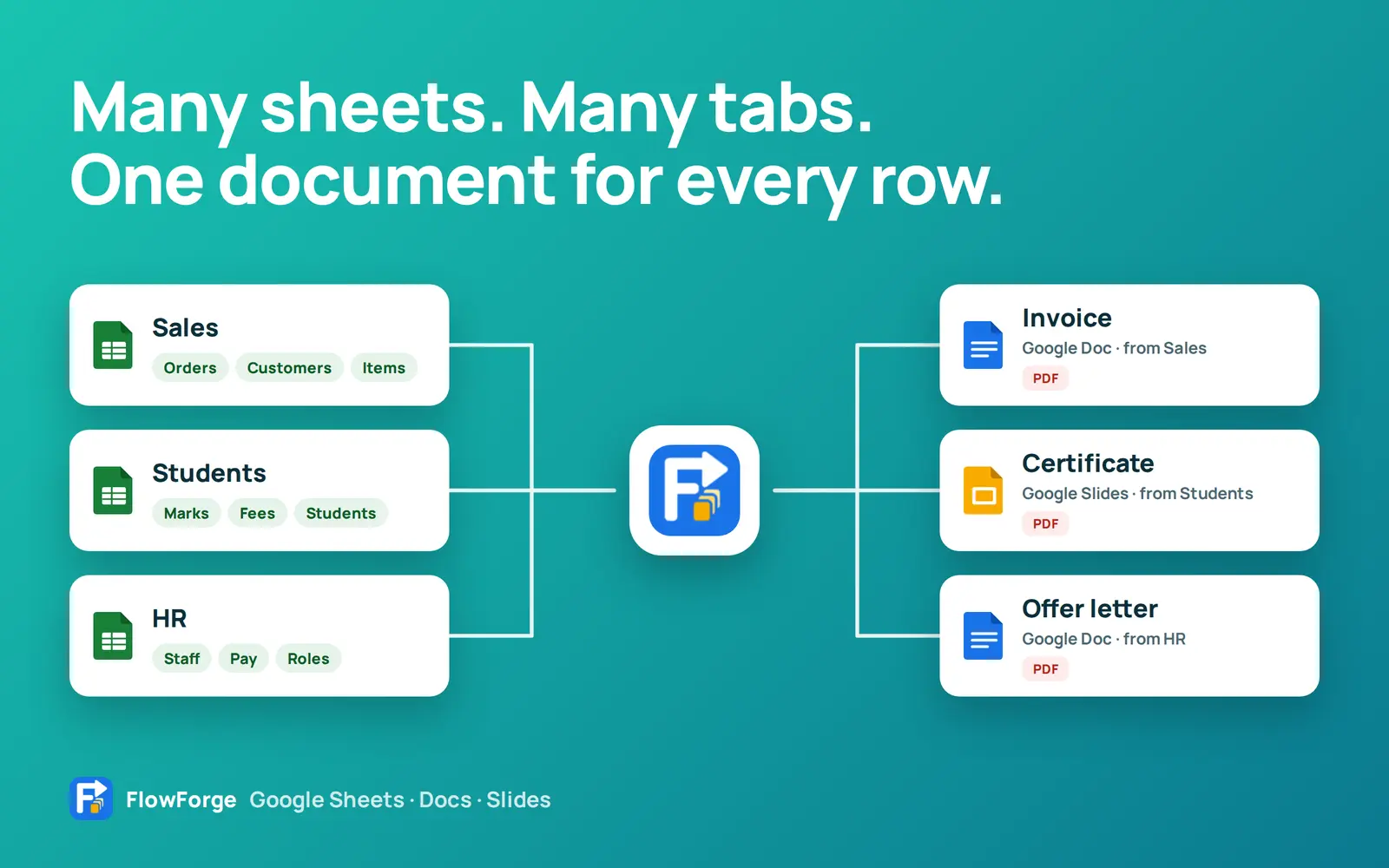
Pull from every tab. Make a document for every row.
Tick the tabs you need from your spreadsheet. FlowForge makes one Doc, Slides file or PDF for each row, saved in your own Google Drive.
- Sales, Students, HR: any sheet, any tabs
- Docs, Slides and PDFs from the same data
- Every run saves to its own new folder
Tabs that belong together
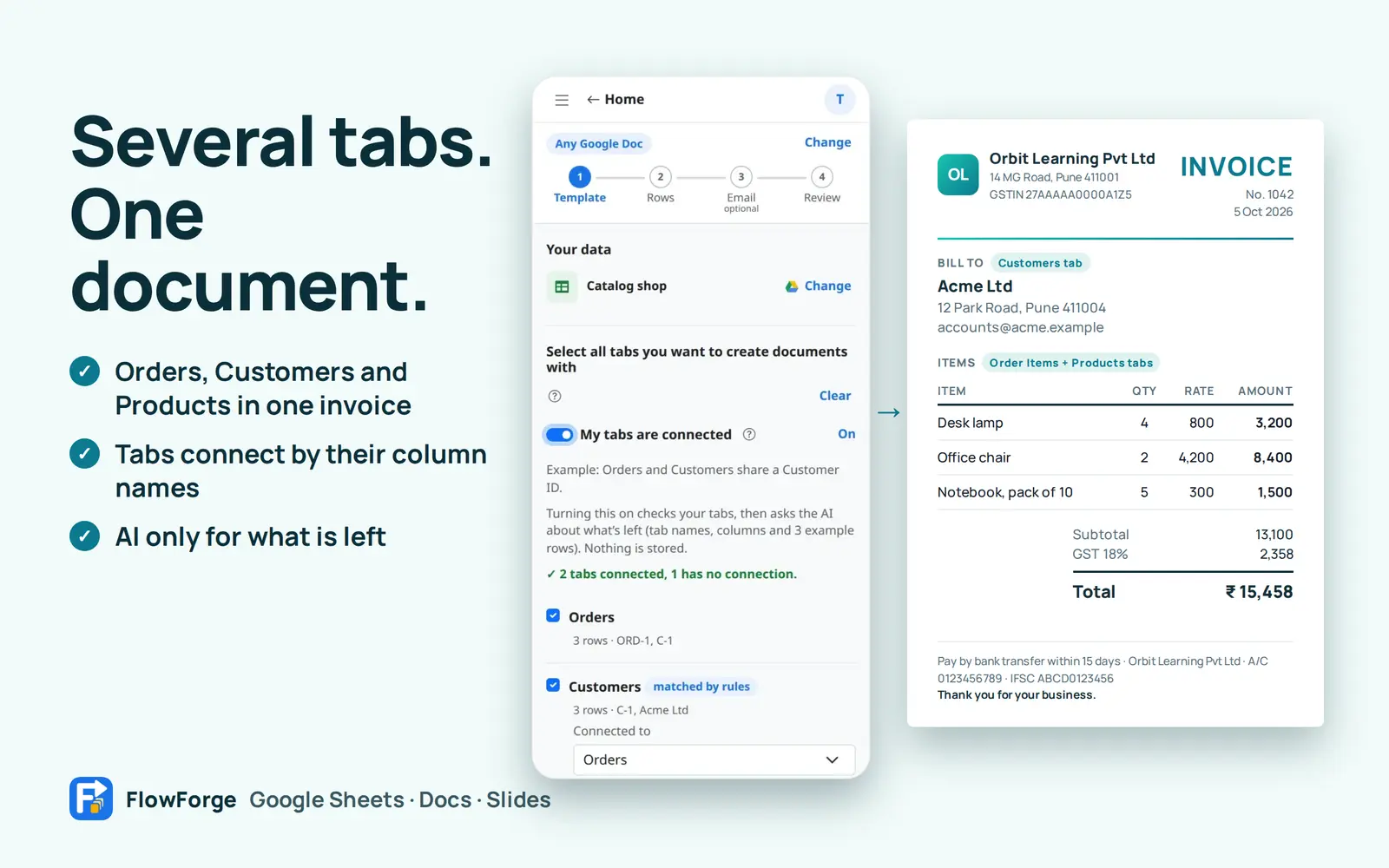
Orders, Customers and Products in one invoice
Turn on My tabs are connected. FlowForge finds the column that links one tab to another, checks that every order finds its customer, and uses AI only for what is left.
- Matched by column names first, which is instant
- Change any connection you disagree with
- A finished invoice with the customer and every item
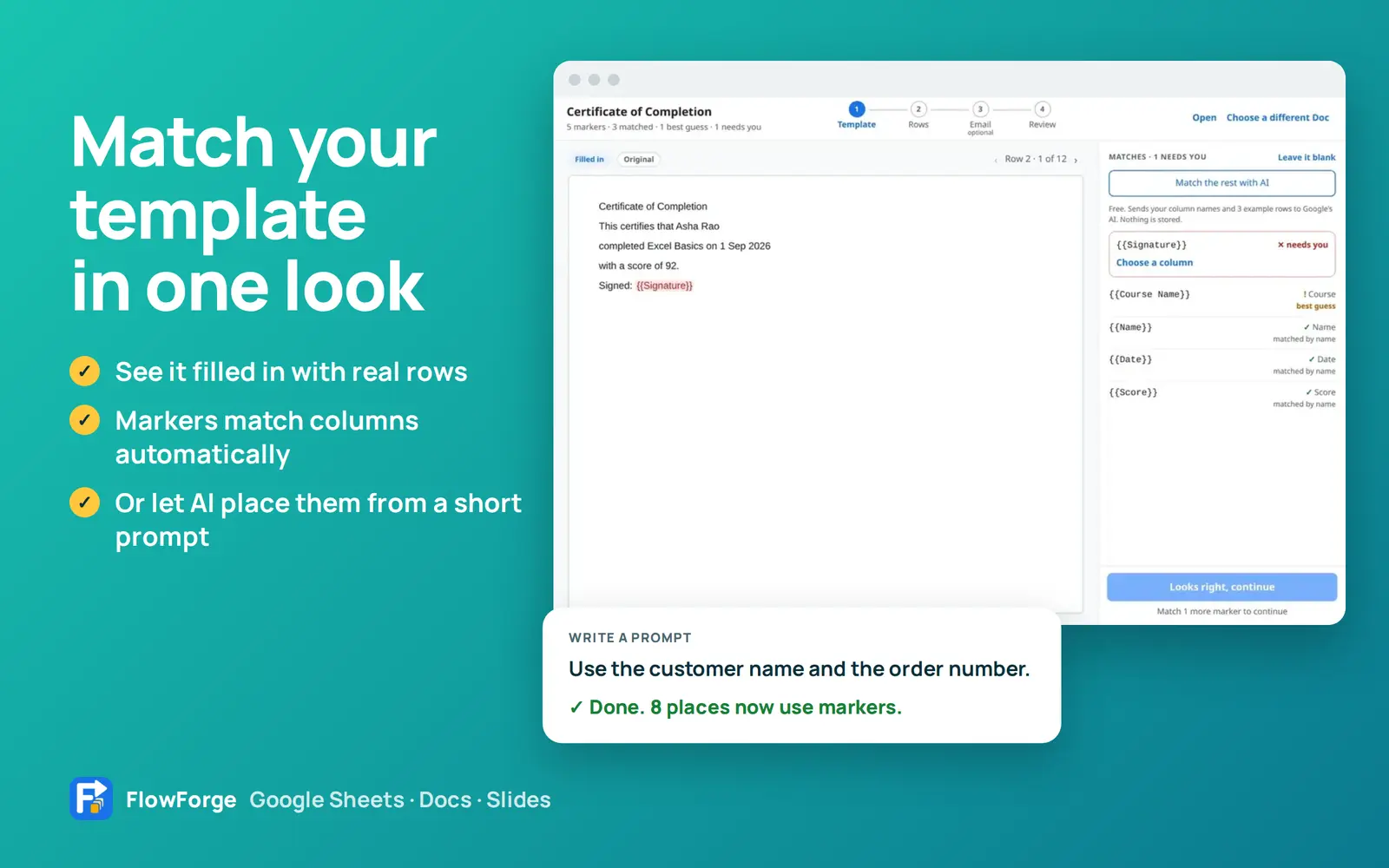
Match your template
See your template filled in, then match it in one look
A preview shows your Doc or Slides filled in with real rows. Every marker is matched to a column automatically, and you fix anything that needs a second look.
- Step through rows to check each result
- Matched, best guess, or needs you: clear for every marker
- Optional AI match for the rest
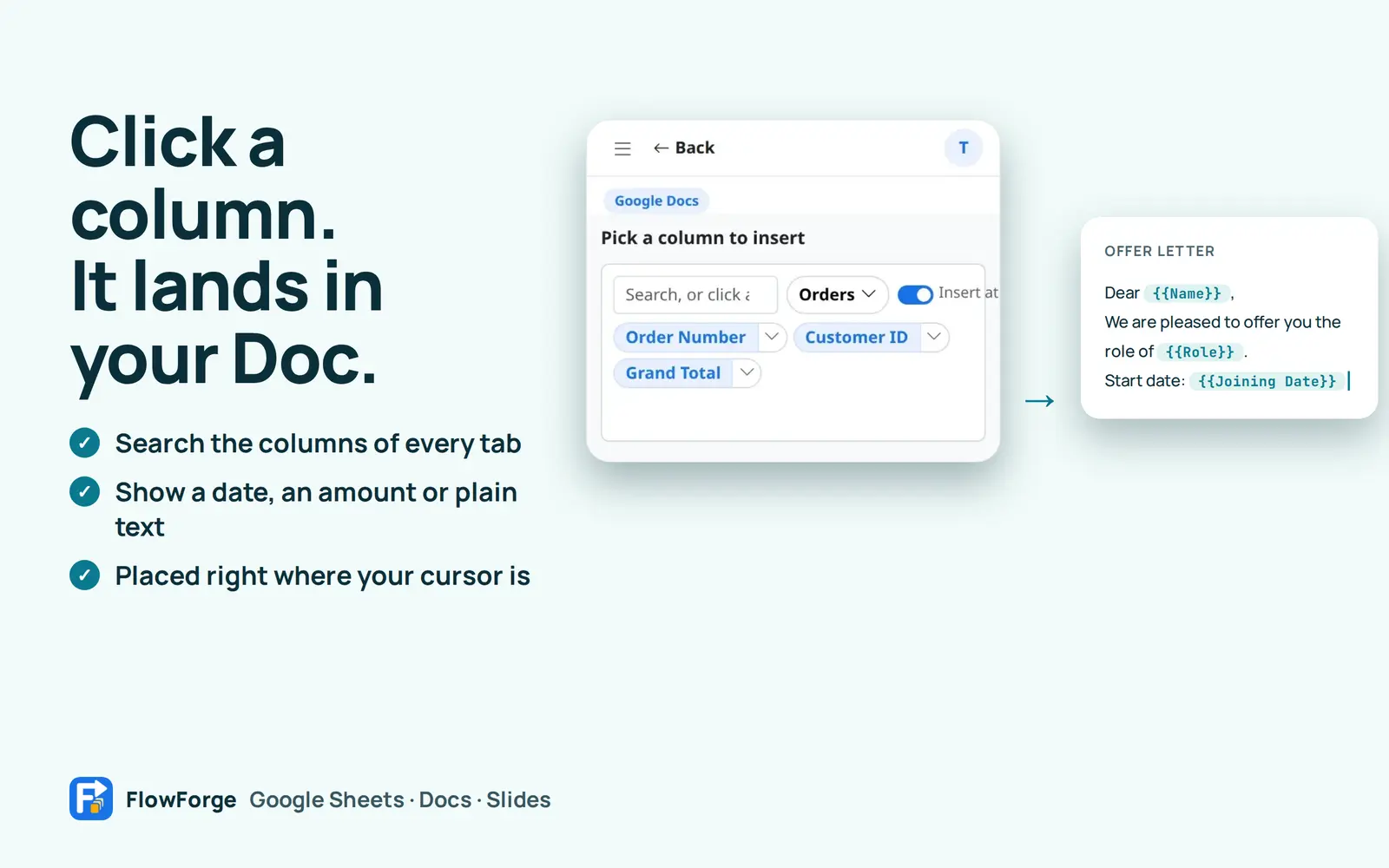
Marker dropper
Click a column. It lands in your Doc.
Search the columns of every tab and click one. FlowForge puts its marker where your cursor is, in the style you choose: plain text, a date or an amount.
- Search across every ticked tab
- Dates, amounts and text shown your way
- Placed right at your cursor

Certificates in bulk
Certificates for the whole class, in minutes
Design one certificate in Google Docs or Slides. FlowForge makes one for every student, as a PDF too, and can email each one.
- Your design, fonts and logo stay as you made them
- Docs, Slides or PDF
- Emailed to each student
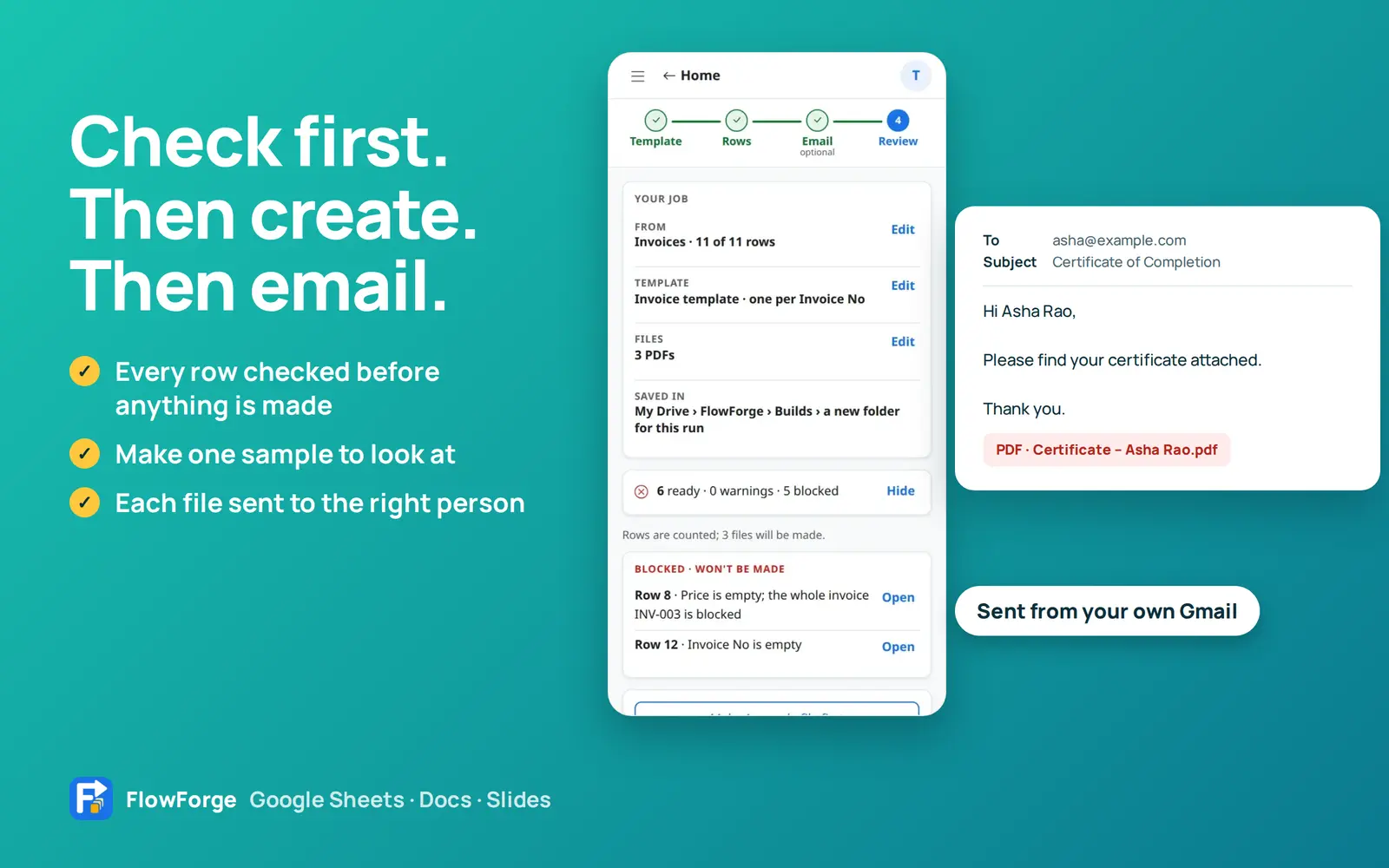
Check, create, email
Check first. Then create. Then email each one.
FlowForge checks every row before it makes a file, shows what is ready and flags anything that needs attention. Make one sample to look at, then create them all and send each file to the right person.
- Every row checked in plain words
- One sample file before the full run
- Emails sent from your own Gmail
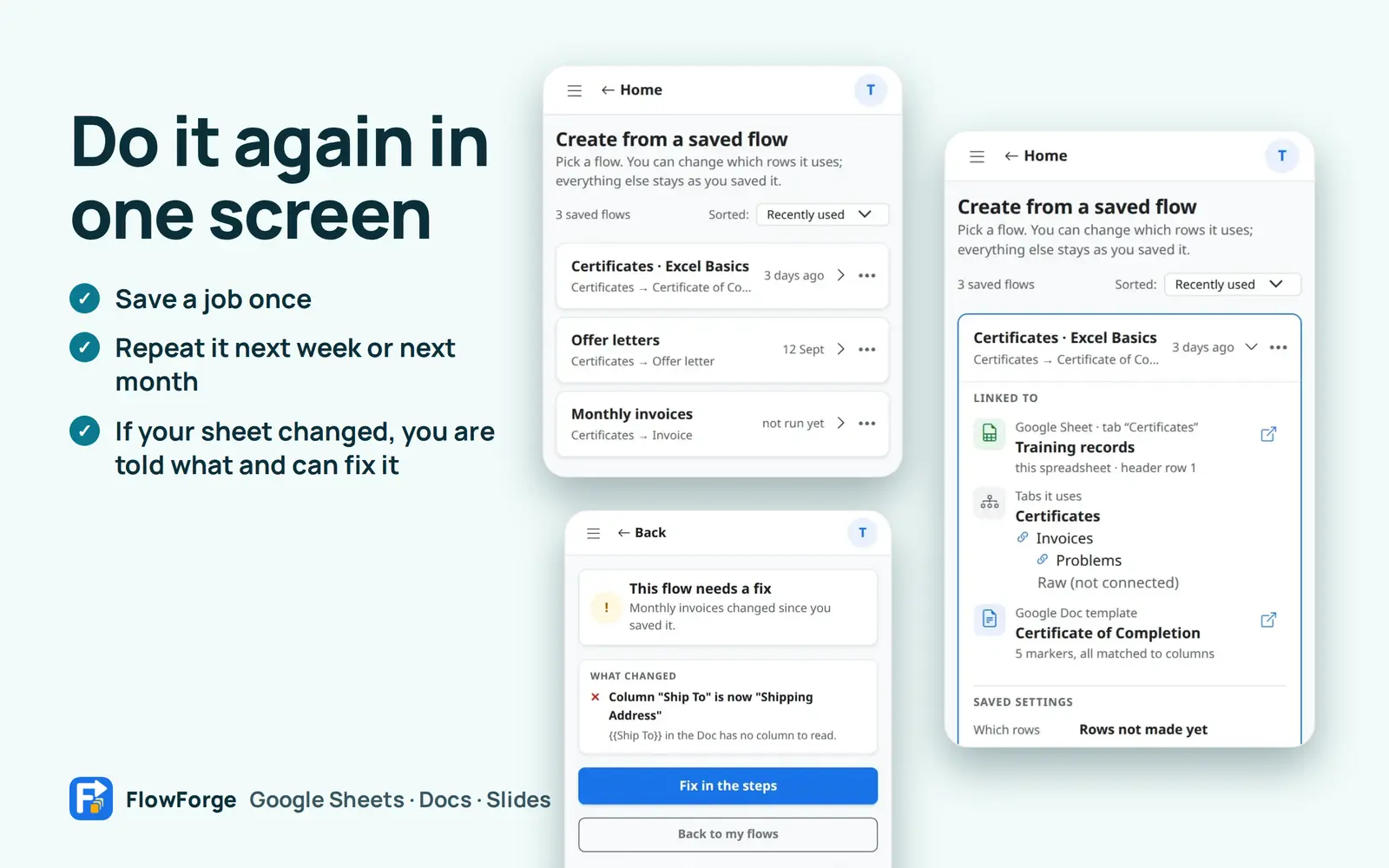
Saved flows
Do it again in one screen
Save a job once and repeat it next week or next month. If your sheet changed, FlowForge tells you exactly what and offers to fix it.
- Rename, open or edit any saved flow
- Told what changed, with a one-click fix
- Starts from a fresh check of today's rows
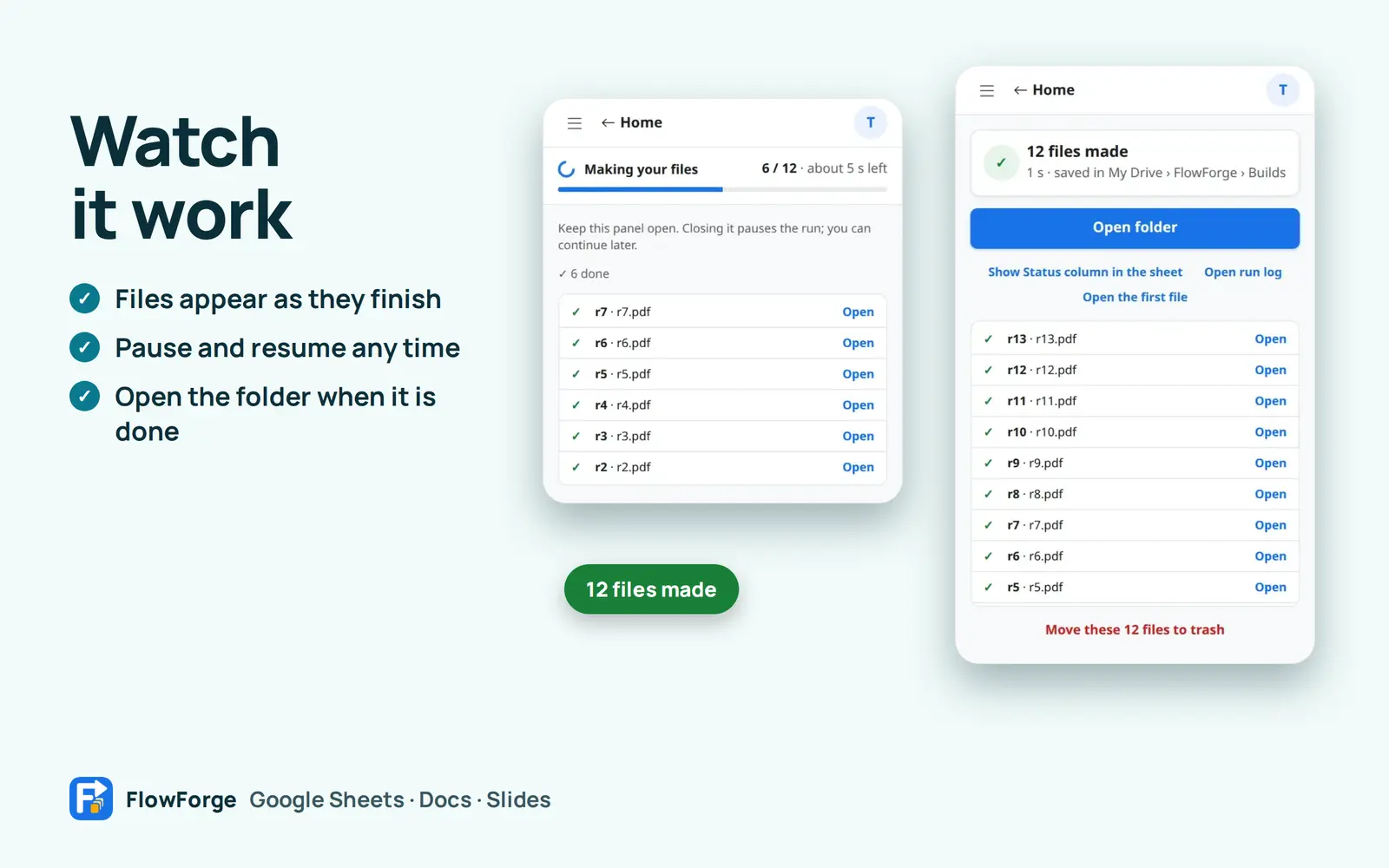
While it runs
Watch it work. Pause and resume any time.
Files appear as they finish, each with an Open link. Pause and resume whenever you like; a run keeps its place if you close the sidebar.
- Progress with a time estimate
- Open the folder when it is done
- Fix a problem and finish just the files that need it
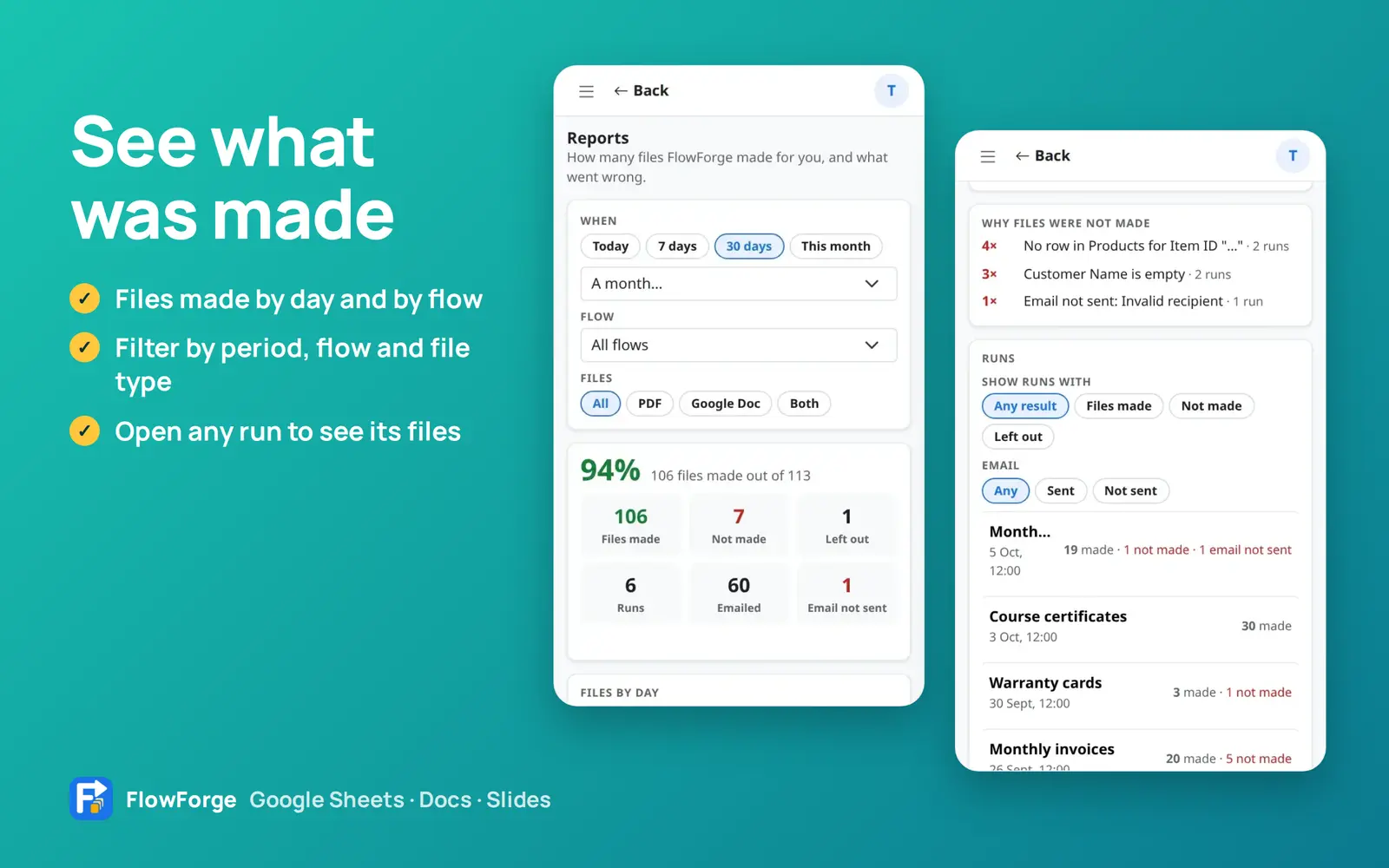
Reports
See what was made
Reports show files made by day and by flow. Filter by period, flow and file type, and open any run to see its files.
- Files made by day and by flow
- Filter by period, flow and file type
- Open any run to see its files
How it works
Pick your tabs
Open FlowForge in your Google Sheet and tick the tabs you want to use.
Pick your template
Choose a Google Doc or Slides file. FlowForge matches each marker to a column.
Choose rows and output
New rows or the ones you select. A Doc, a PDF, or both. Name each file with columns.
Check, then create
FlowForge checks every row, you look at one sample, then it makes them all and can email each one.
Questions, answered
How do I start using FlowForge in Google Sheets?
Open your Google Sheet, choose Extensions, then FlowForge, then Open. Pick the tabs you want to use, pick a Google Doc or Slides template, and follow the four steps: Template, Rows, Email and Review.
What is a marker?
A marker is a placeholder such as {{Name}} or {{Invoice No}} in your Doc or Slides template. FlowForge replaces it with the value from the matching column of each row.
Can FlowForge use values from several tabs?
Yes. Turn on My tabs are connected. FlowForge matches tabs by their column names first, then can ask Google's AI about the rest. You can change any connection.
Can the AI place the markers in my template for me?
Yes. Open the template in Google Docs or Slides, choose Write a prompt, and describe what should be filled. FlowForge checks every answer against your document and sheet, saves a backup copy first, and lets you undo.
Will it make the same file twice?
No. By default it uses only rows that are not made yet and marks each finished row in your sheet. Failed files can be retried on their own.
Can I check one file before making all of them?
Yes. On the Review step choose Make 1 sample file first. It saves one real file in a Samples folder and does not change your sheet.
Can FlowForge email the files?
Yes. Turn on Email each file, choose the column that holds the address, write the subject and message with markers, and attach the PDF. Emails are sent from your own Gmail account.
What data does the AI see?
Only when you press a button that uses it: your template text, tab names, column names and a few example rows. FlowForge does not store what it sends, and your data is not used to train AI models.
Where are my files saved?
In your own Google Drive, in a new folder for every run inside FlowForge, Builds.
Stop copying from a sheet into a document
FlowForge is in early access. Tell us what you make from your sheets and we will set you up.