1
Initialize your Sheets database
Create the Items, Customers, Orders, and Order Items tabs in one click.
Stop Manual Work - Automate Everything
End the copy-paste nightmare. DocMaster automates invoice creation, quotation generation, inventory tracking, and customer management - all in Google Sheets. No external CRM software required. Your data stays in Google Drive and Sheets with full control.
Keep your data inside Google Drive, then generate invoices with a structured, repeatable flow.
3 clicks
Invoice or Quote ready
10 min
Complete setup
Free plan
Paid upgrades available
Watch this complete tutorial and walkthrough to see how DocMaster automates your invoicing, quotations, and order management.
Stop wasting hours on repetitive work. Design your template once, generate hundreds of perfect invoices & quotations with 1 click. No more manual data entry, no more mistakes.
One-time setup
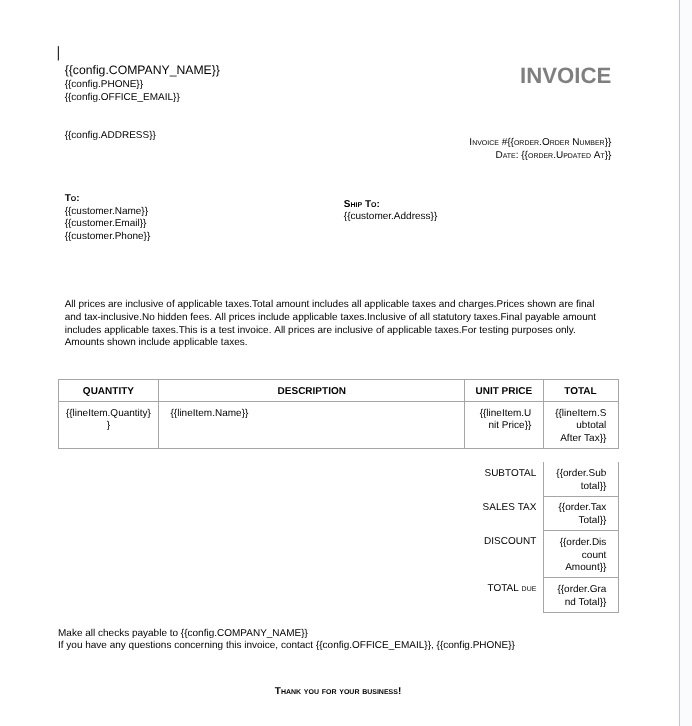
Your template with markers:
{{customer_name}} and {{order_total}}Perfect invoice in 1 second
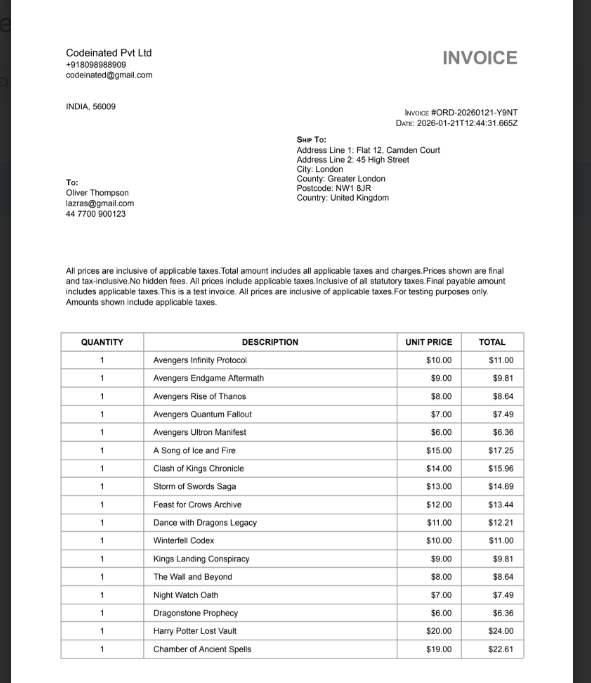
DocMaster generates the invoice:
The markers like {{customer_name}} get replaced with real data
Design your template once with your branding and markers. DocMaster reads your order data from Sheets and fills every field automatically. What took 30 minutes of copy-paste now happens instantly.
Meet Maya — a bakery owner who was drowning in spreadsheet chaos until she discovered one-click invoice generation
Every single morning, Maya loses 2 hours to:
"30 minutes to create ONE invoice. Got the total wrong. Sent Mr. Sharma someone else's invoice by mistake. He called confused — I wanted to cry."
— Maya, after another exhausting day
Today, Maya creates perfect invoices in ONE CLICK:
What Maya Got Back Today:
"I click one button. A perfect invoice appears. I got my evenings back."
You're not buying a "CRM." You're buying back 2 hours daily, eliminating calculation mistakes, and getting one-click invoices instead of 30-minute manual work.
No download. No migration. Just open Google Sheets and click.
Follow the setup, marker, and automation walkthrough to build your first invoice flow.
Open Sheets, select customer from dropdown (or add new one in 10 seconds). Their address, email, and GSTIN auto-fill.
Select products, enter quantities. Price, tax, and subtotal appear instantly. Check stock before confirming.
Add 10% discount. Grand total recalculates automatically. No manual math, no mistakes.
One click. Professional invoice created in Google Docs with your branding. Send to customer. Mark paid when done.
DocMaster runs entirely inside YOUR Google workspace. We never see, store, or touch your invoices, customers, or orders.
Codeinate.com never stores your invoices, customer names, or order data. Everything stays in your Google Sheets and Docs.
DocMaster runs as a Google Sheets add-on using Google Apps Script. All processing happens inside Google's infrastructure under YOUR account.
Your Sheets, your Docs, your Drive folder. You can export, backup, or delete everything anytime. DocMaster just automates the clicks.
Stop using DocMaster? Your data is already in Google Sheets format. No export, no migration, no data loss. Just standard spreadsheets.
100% Google Ecosystem
DocMaster reads from your Sheets, writes to your Docs, and saves to your Drive. Your business data stays exactly where it is—safe, private, and under your control forever.
Stop treating Sheets like scattered notes. DocMaster structures them like a real database with connected tables and automatic relationships.
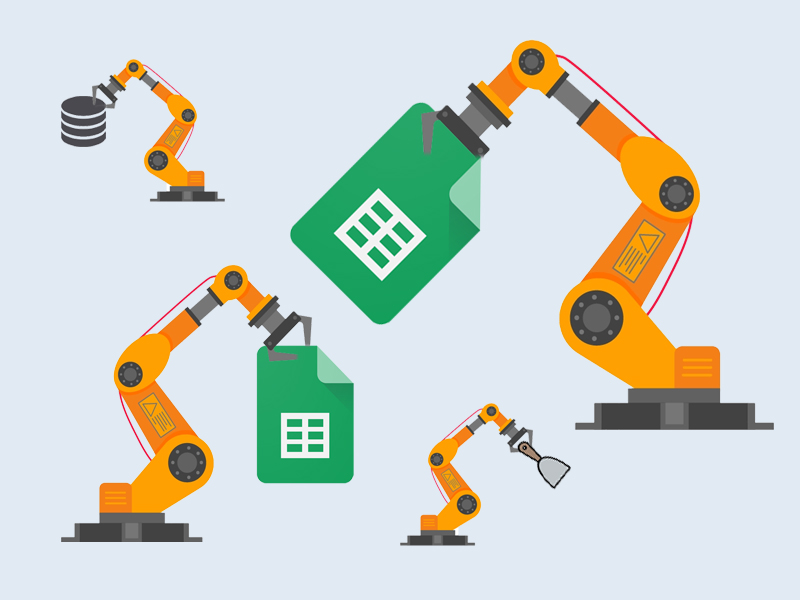
Automated database operations — DocMaster connects your tables and handles calculations behind the scenes
Items link to Order Items. Orders link to Customers. Change a product price once, it updates everywhere automatically.
Customer details entered once, selected from dropdown in every order. Update address once, every future invoice shows the new address.
Subtotals, taxes, discounts, and final totals calculated instantly. Change quantity? Total updates. Change tax rate? Total updates.
See stock levels live. Know what's available before creating orders. Track what's selling and what's sitting.
Spreadsheet Outside. Database Inside.
Your team sees familiar Google Sheets. Behind the scenes, DocMaster treats them like a structured database with relationships, validation, and automatic updates.
Inventory management, customer tracking, and instant invoice generation—all in one place, no separate software needed.
Everything Small Businesses Need. Nothing They Don't.
No CRM subscription. No accounting software. No separate invoice tool. Just Google Sheets doing more than you thought possible.
A short, guided path to your first invoice—built for clarity, not complexity.
Create the Items, Customers, Orders, and Order Items tabs in one click.
Add your branding and insert markers to place customer and invoice fields.
Choose the template you just edited so DocMaster can use it for processing.
Create orders, preview output, then run bulk generation with confidence.
Follow the step-by-step guide for setup, markers, and automation tips.
View DocMaster documentationEverything you need to know about automating invoices with Google Sheets
Still have questions?
Contact Support