




01Who this is for
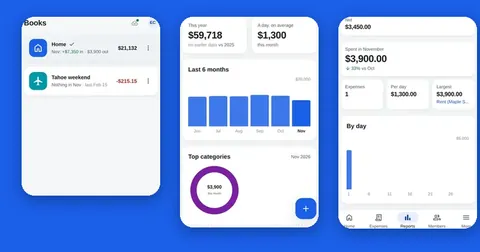
This page is for people who use Splendly for Android™ or the Splendly web app and want to stop using it or delete their data. Splendly has no account of its own: you sign in with your Google account, and your expense books and receipts live in your own Google Drive™.
02Step 1: remove Splendly's access to your Google account
Open myaccount.google.com/permissions, choose Splendly, then choose Remove access.
After that, Google stops accepting Splendly's sign-in, so the app can no longer read or write your files.
03Step 2: clear the device
Sign out of the app to remove your sign-in from that device.
To also remove the copy of the space and any waiting entries, uninstall the app or clear its storage in your phone or browser settings.
04Step 3: delete the sheet and the receipts, if you want them gone
Removing Splendly changes nothing in your Google Drive™. Each space is a normal Google Sheet™ and each receipts folder is a normal folder in Google Drive™. They keep working without the app, and the people you shared them with keep the access you gave them in Google Drive™.
To delete the data, delete the sheet and the receipts folder in Google Drive™ yourself, then empty the bin. Codeinate cannot see, open or delete these files for you.
To stop sharing with someone, remove them from the space in Splendly, or change the sharing of the sheet in Google Drive™. Receipts that were already shared with a removed member stay shared until the person who uploaded each one stops sharing it in Google Drive™.
05What Codeinate holds about you
Nothing about your entries, receipts, balances or members: Splendly has no server that receives them. There is no Splendly account, so there is nothing to delete on our side.
If you use the web app, your browser loads it from our hosting provider like any website, with your internet address and device information. In the Android™ app, the only request to us is a small public version file (gate.json), about once a day, and again every hour while the app cannot reach it. We run no analytics and do not switch on access logs.
06More
Read the full privacy policy at https://www.codeinate.com/splendly/privacy/. Questions or help: support@codeinate.com.
Google Sheets, Google Drive, Android and Google Play are trademarks of Google LLC. Splendly is not affiliated with or endorsed by Google.