




Overview
Most small organisations run on a mix of spreadsheets, a few online tools and one person who knows how they fit together. That works until the volume grows, a rule changes or that person leaves. Custom software is for the moment when the gaps between the tools cost more than closing them.
Codeinate builds small, well-documented applications: a portal where customers check their order, a dashboard that shows the numbers the owner looks at every morning, an internal tool that replaces a fragile spreadsheet, an integration that moves data between your accounting system and your sheet without retyping, and the Android™ app when the same people need it in one hand every day. Codeinate builds and sell its own software products, so it knows what it takes to keep an application alive after launch.
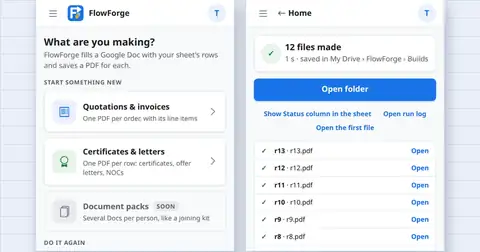
Codeinate starts by writing down the process in plain words. If a spreadsheet or an existing product solves it, Codeinate says so. Codeinate's own Google Workspace™ add-ons exist because that was often the honest answer.
What Codeinate builds
Web applications and portals
Browser-based tools for staff, customers or members: sign in with Google, roles, forms, lists, exports and a plain admin area. Built as a static React or Next.js front end with a small API in Node.js or .NET Core where one is needed, so hosting stays cheap.
Dashboards and internal tools
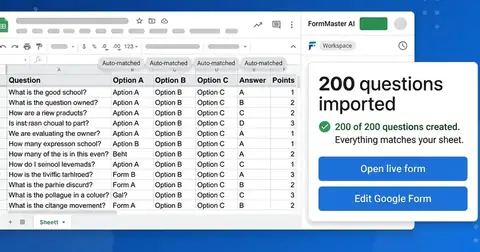
The numbers the owner checks each morning on one screen, and the internal tool that replaces a spreadsheet nobody dares to edit. Codeinate keeps the sheet's logic, adds validation, history and permissions, and often keeps Google Sheets™ as the data store the owner can still open.
Multi-tenant apps and billing
One application serving many customers with their data kept apart, plans, trials, checkout and receipts built on a payment provider so card details never touch your servers. Codeinate runs its own products this way.
APIs and integrations
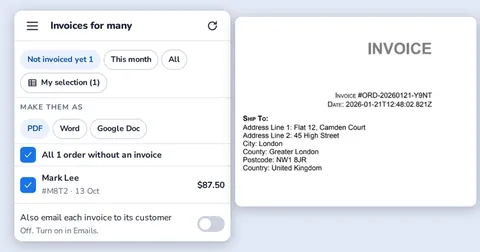
REST or GraphQL APIs other systems can call, and integrations that move data on a schedule or on an event: orders to accounting, form answers to a document, a payment to a receipt email. Each step logged so you can see what ran.
Android™ apps with a shared core
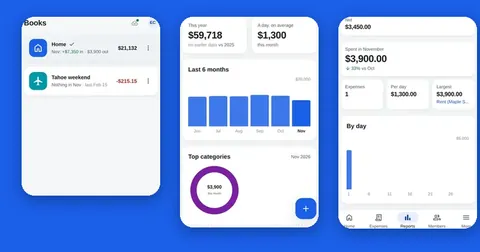
When the same people need the tool daily, one-handed, offline or with the camera, Codeinate builds the Android™ app on the same logic and data as the web version, and publishes it on Google Play™ under your own developer account. Codeinate has taken its own apps through the Google Play™ review and testing tracks.
Documentation and handover
A README that gets a new developer running in an hour, a user guide in plain words, and architecture notes that say why, not only what. The code lives in your repository in TypeScript, C# or both, with automated builds and tests.
Problems that come up, and what happens next
| The problem | What Codeinate does about it |
|---|---|
| The last developer left and nobody can change the system. | Codeinate reads the code, writes the missing documentation, puts it under version control with automated builds and fixes the most urgent items first. Then you decide whether to keep it or modernize it in pieces. |
| Staff retype the same data into three places. | One integration that moves the data once, with a log you can check. Retyping is the most common hidden cost Codeinate finds. |
| An off-the-shelf product does most of the job but not the one rule that matters. | A small add-on, extension or companion tool around the product is usually cheaper than replacing it. Codeinate builds the missing rule and leaves the product in place. |
| An agency quoted a native iOS and Android™ build for a tool ten people use. | A web app that installs to the home screen, or a single shared-core Android™ app, usually covers it at a fraction of the cost. Codeinate says which, and why. |
| The project started but never finished. | Codeinate reviews what exists, estimates honestly what it takes to finish versus restart, and gives you both numbers. |
How a build runs
- 1
Process in plain words
A written description of who does what, with the exceptions. This document is the contract for what the software must do.
- 2
Clickable mock
Every screen drawn and clickable before code is written, tested on a real phone where the app is for phones. Changes are cheap at this point.
- 3
Build in weekly slices
A working version every week in a test environment, or an internal test track for an app, with a short plain-words update. You use it as it grows.
- 4
Launch and hand over
Deployment to your accounts, store listing and policy forms where there is an app, documentation, a walkthrough and a short support period included in the price.
When the system that runs the business has stopped working
If orders cannot be taken or staff cannot do their work, the first hour is about getting back to a working state, not about fixing the root cause. Restore the last known-good version, roll back the last change, or switch to the manual fallback while Codeinate looks.
Send Codeinate the error message, what changed last and where the code lives. Codeinate has picked up abandoned systems with no documentation before; the first thing it does is make it restartable, the second is to write down how. If Google Play™ has sent a policy deadline for an app, send Codeinate the email: most are a configuration change and a resubmission, not a rebuild.
Buy, extend or build: how to decide
| Option | Best when | Cost pattern | Risk |
|---|---|---|---|
| Off-the-shelf product | Your process is standard | Monthly per user | The one rule it cannot do |
| Extend what you have | A product fits except for one gap | One-off build, small running cost | Depends on the product's API |
| Spreadsheet plus an add-on | Data already lives in Google Sheets™ | One-off build, low running cost | Limits of a sheet at high volume |
| Custom web application | The process is your advantage | One-off build plus hosting | Needs an owner after launch |
| Android™ app on a shared core | Daily, one-handed, offline or camera use | Web build plus the app and store work | Store policy upkeep |
Questions people ask
What is custom web development?
Custom web development is building a web application for one organisation's own process rather than buying a general product. It makes sense when the process is specific, the volume is real and the gaps between existing tools cost time every day.
Which technologies do you use?
Widely used ones that another developer can pick up: TypeScript with React or Next.js on the front end, Node.js or .NET Core on the server, REST or GraphQL APIs, managed databases, static hosting with a CDN, and Google Workspace™ APIs when the data lives in Google Sheets™ or Drive™. Codeinate chooses boring, documented tools on purpose.
How long does a custom build take?
A small internal tool or integration typically takes a few weeks from the written process to launch; a portal with sign-in, roles and billing, or an app with a store release, takes longer. Codeinate gives a finish date with the fixed price after the mock is approved.
Who owns the code?
You do. The code lives in your repository, the application runs in your cloud account, an app is published under your own Google Play™ developer account, and the documentation is yours. If Codeinate parts ways, nothing stops.
Do I need an app or is a website enough?
A fast website is enough when people visit occasionally. An app earns its place when the same people use it daily, often one-handed, offline or with a weak signal, or need the camera and notifications. Codeinate tells you which on the first call, and it builds the app on the same core as the web version so a change happens once.
Do you build iPhone apps too?
Codeinate's own apps are Android™ and web. For an iPhone audience Codeinate usually recommends an installable web app first and discusses native iOS on the call if the need is real.
Do you keep running the software after launch?
If you want. Hosting, monitoring, updates, crash reports and small changes can run under a monthly maintenance plan. Otherwise the handover gives your team everything needed to run it.


